How to Buy DMM Points via SEAGM (DMM Gift Card)
A step-by-step guide to purchasing a DMM Gift Card on SEAGM from outside Japan and using it to charge your FANZA account with DMM Points.
SEAGM (South East Asia Game Mall) is a global gaming marketplace that lets you buy a DMM Gift Card from outside Japan — using PayPal, credit card, and more. No Japanese bank account needed.
This is Part 3 of our How to Watch FANZA Outside Japan series. You'll purchase a DMM Gift Card on SEAGM, then use the PIN code to charge your FANZA account with DMM Points.
> ⚠️ VPN Note: Turn your VPN OFF before making a purchase on SEAGM. After you receive your PIN code, turn your VPN back ON before even accessing FANZA.
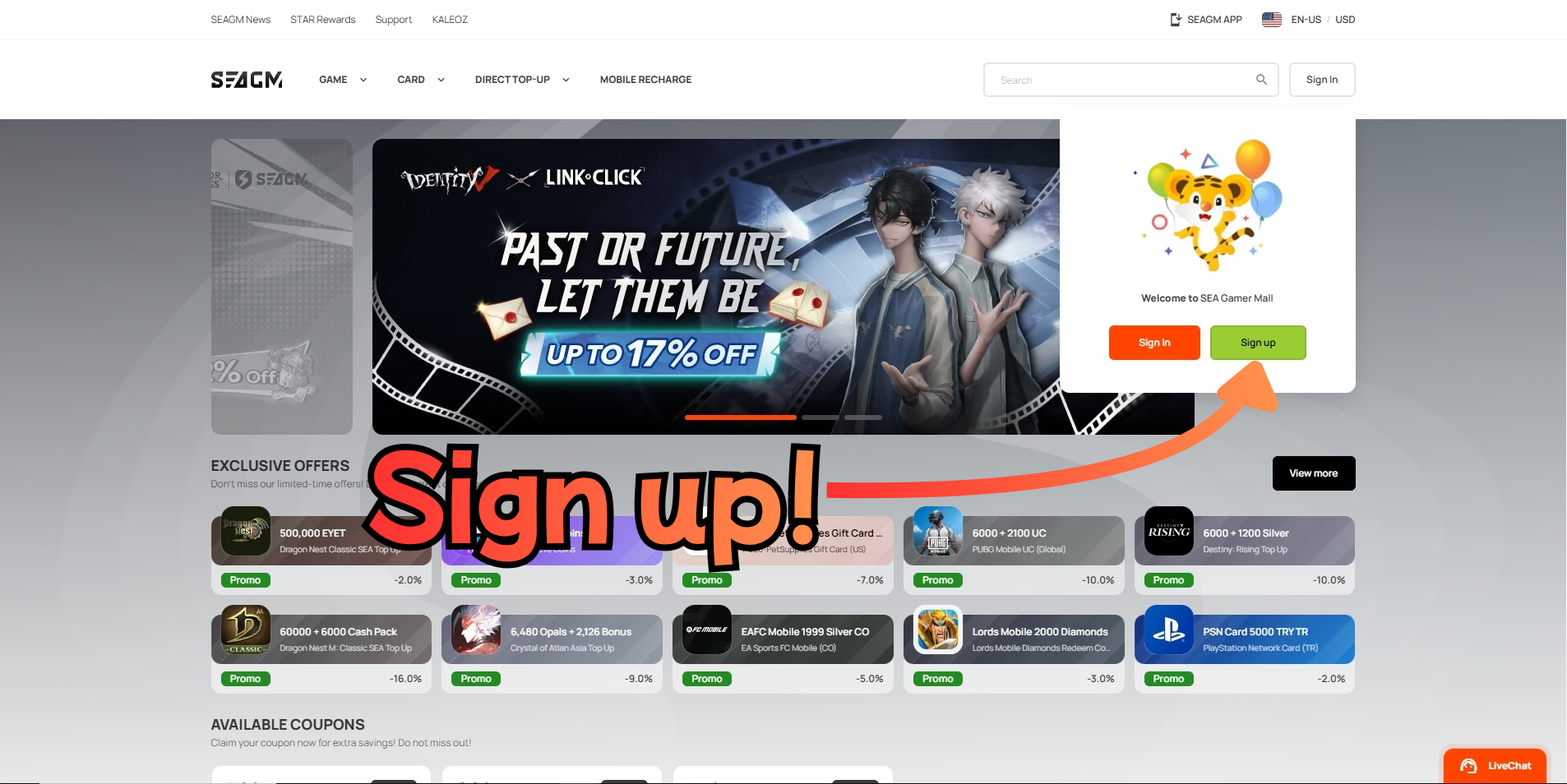
Step 1: Go to SEAGM and click Sign Up
Visit seagm.com and click the Sign Up button in the top right corner of the page.
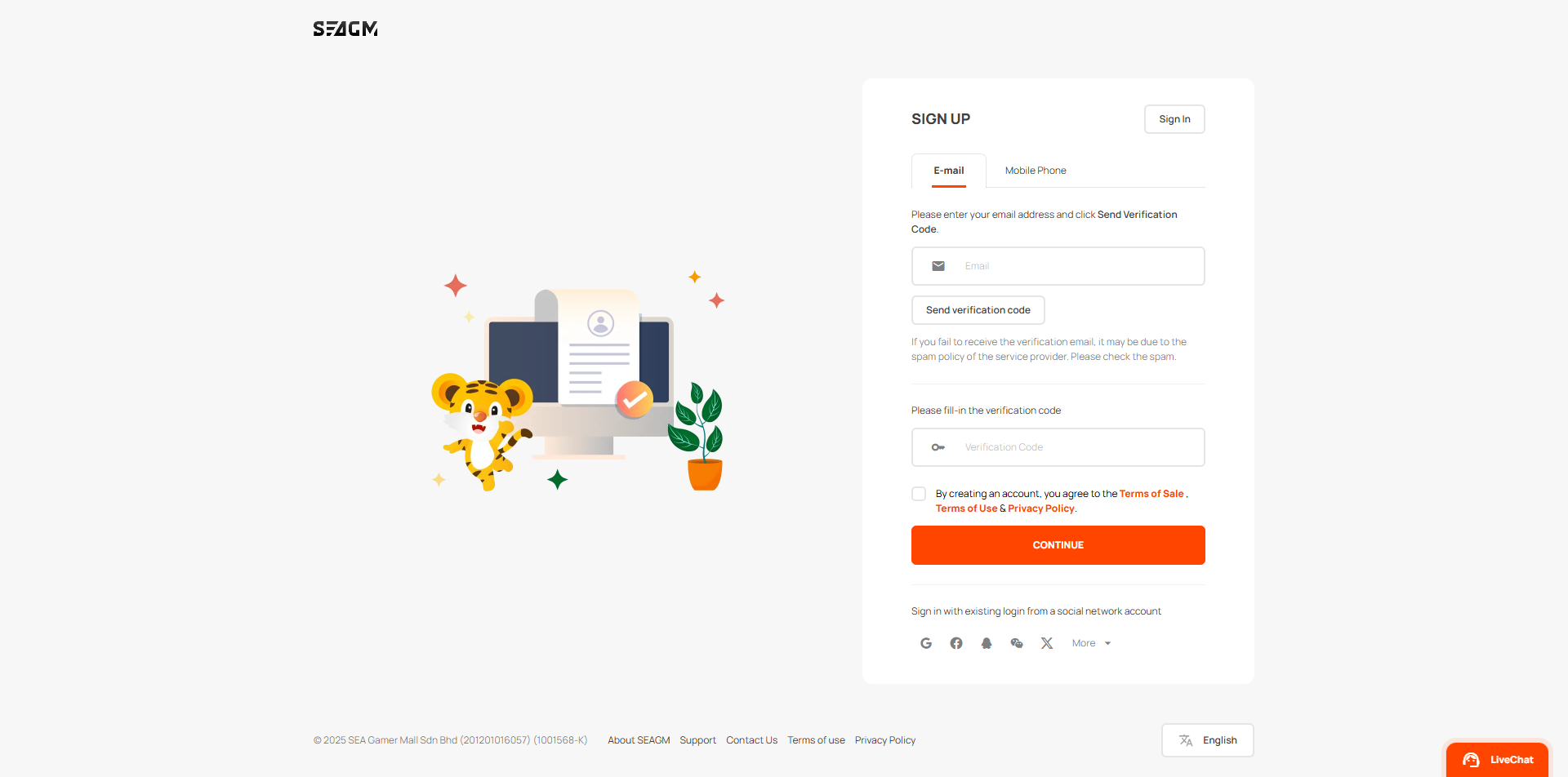
Step 2: Create your account
Enter your email address and click Send Verification Code. Check your inbox for the code, paste it into the verification field, agree to the Terms, and click Continue.
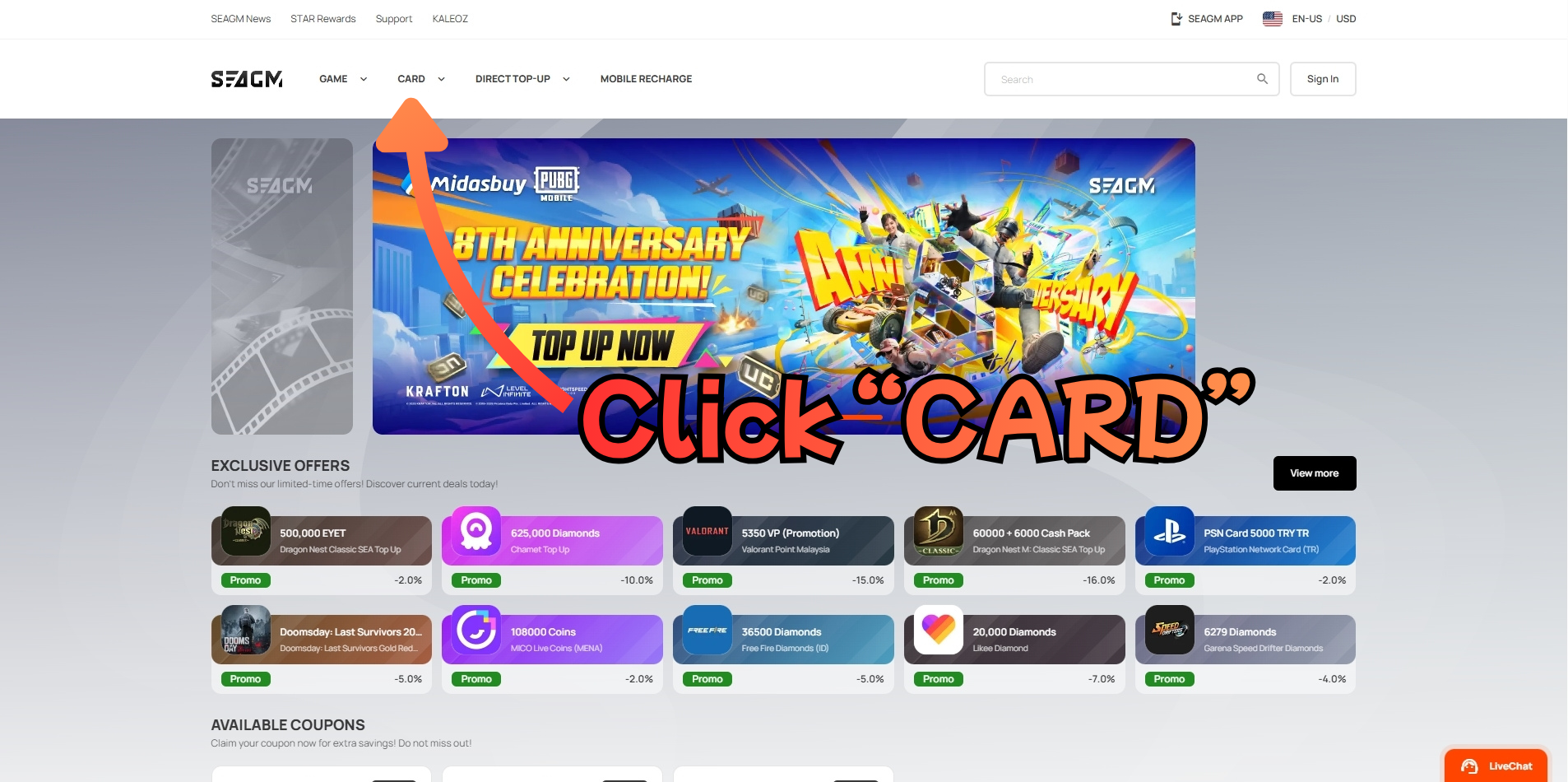
Step 3: Click "CARD" in the navigation menu
After logging in, click CARD in the top navigation bar to browse the gift card category.
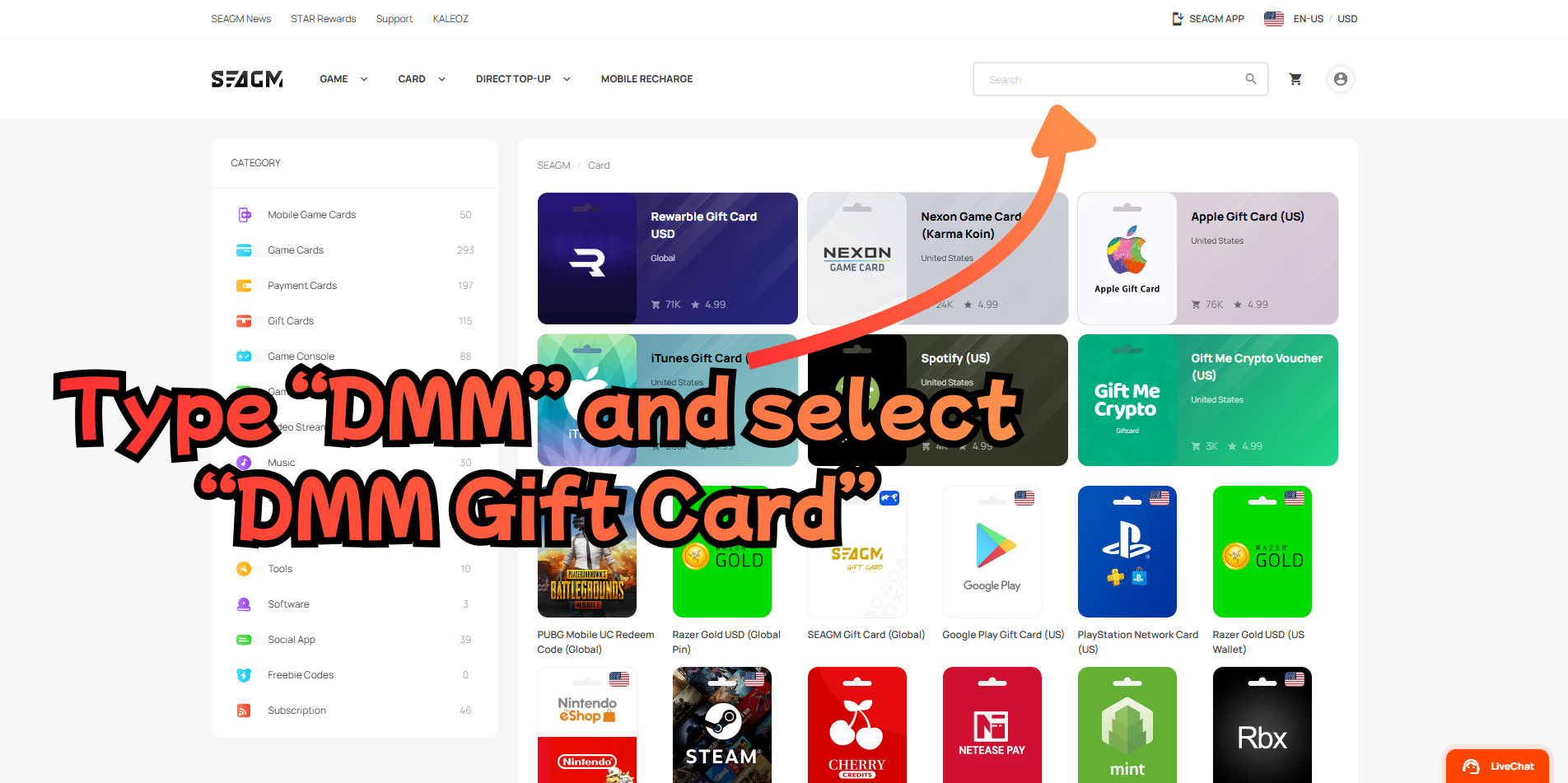
Step 4: Search for "DMM Gift Card"
Type DMM in the search box at the top of the page. Select DMM Gift Card from the dropdown results that appear.
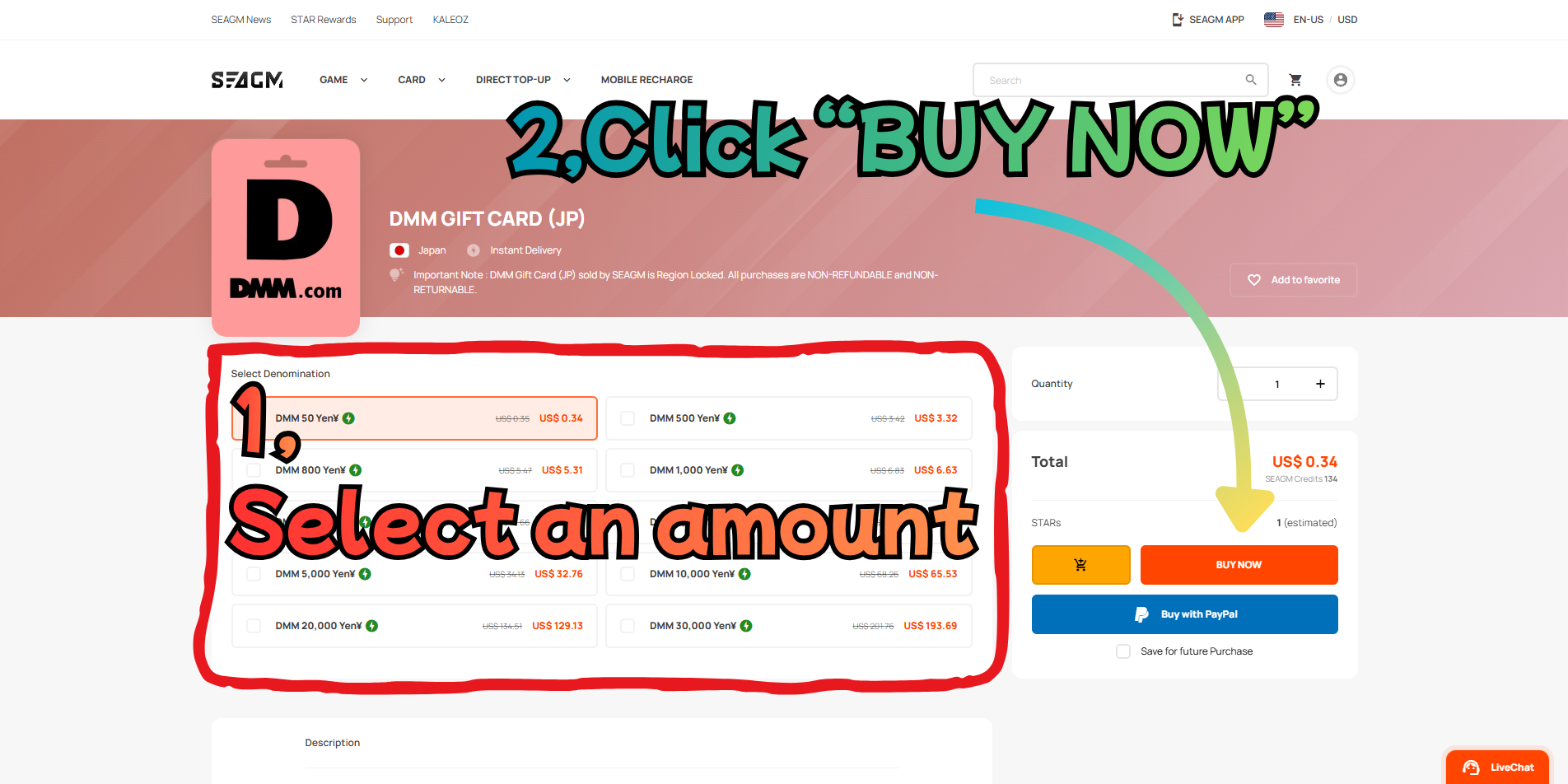
Step 5: Select an amount and click "BUY NOW"
Choose the amount you want to charge (e.g., ¥500, ¥1,000, ¥3,000). The price is shown in USD.
Click BUY NOW to add it to your cart.
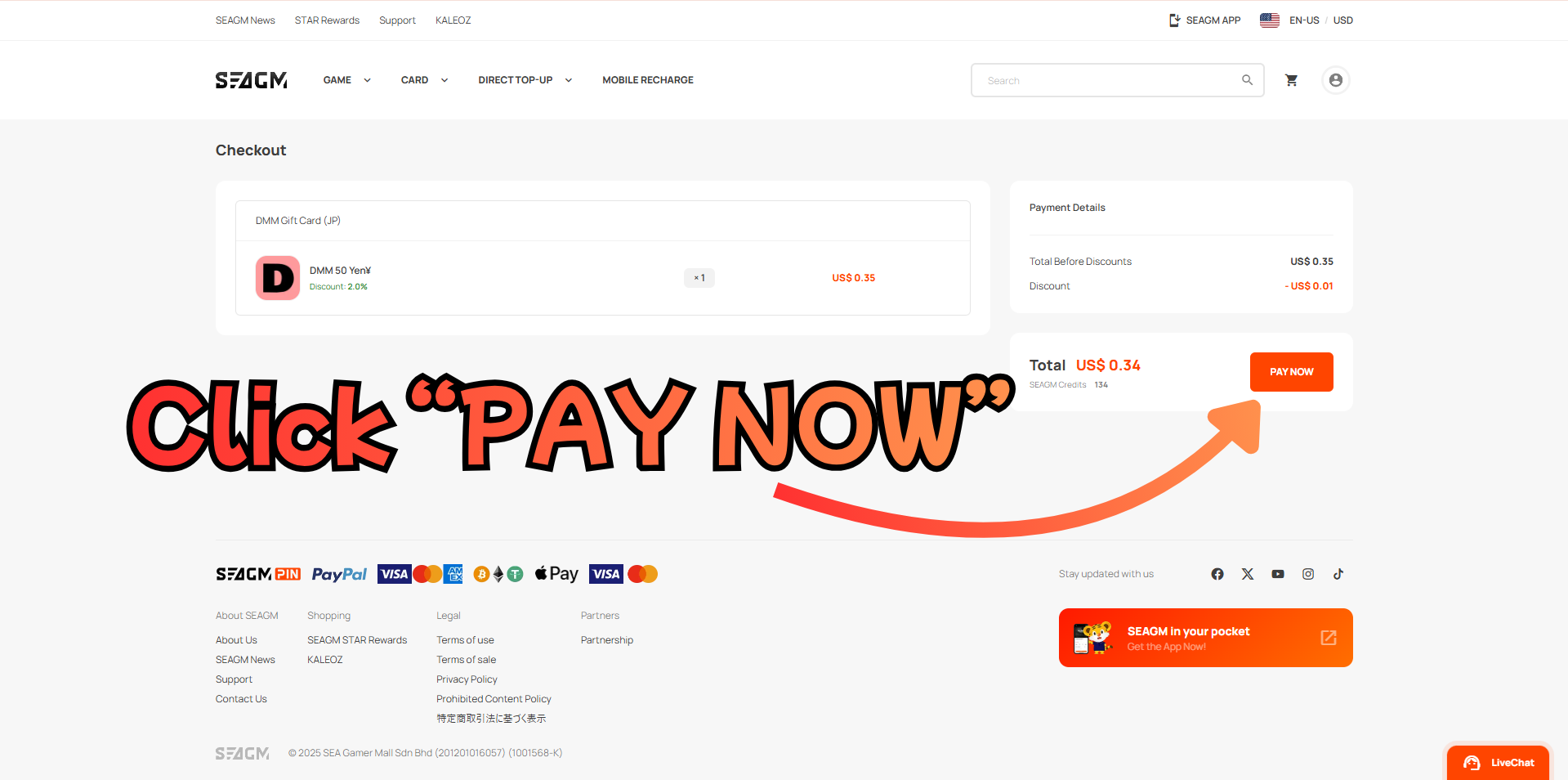
Step 6: Review your cart and click "PAY NOW"
You will see a checkout summary showing the item, quantity, and total.
Confirm everything looks correct, then click PAY NOW.
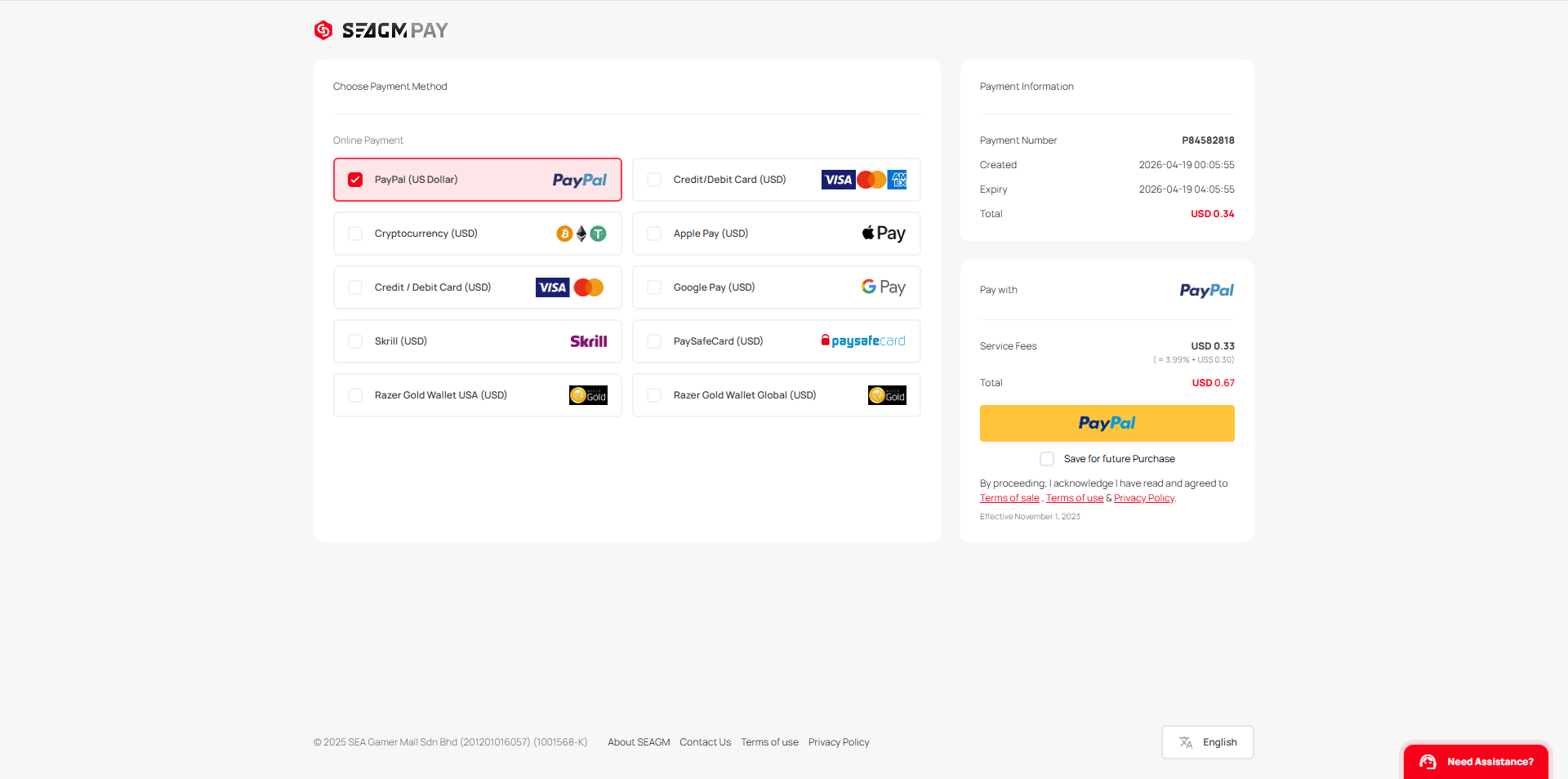
Step 7: Choose your payment method and pay
Select your preferred payment method from the list. PayPal, credit/debit card, Apple Pay, Google Pay, and more are available.
Note that a small service fee may be added depending on the payment method you choose. Review the final total on the right and complete your payment.
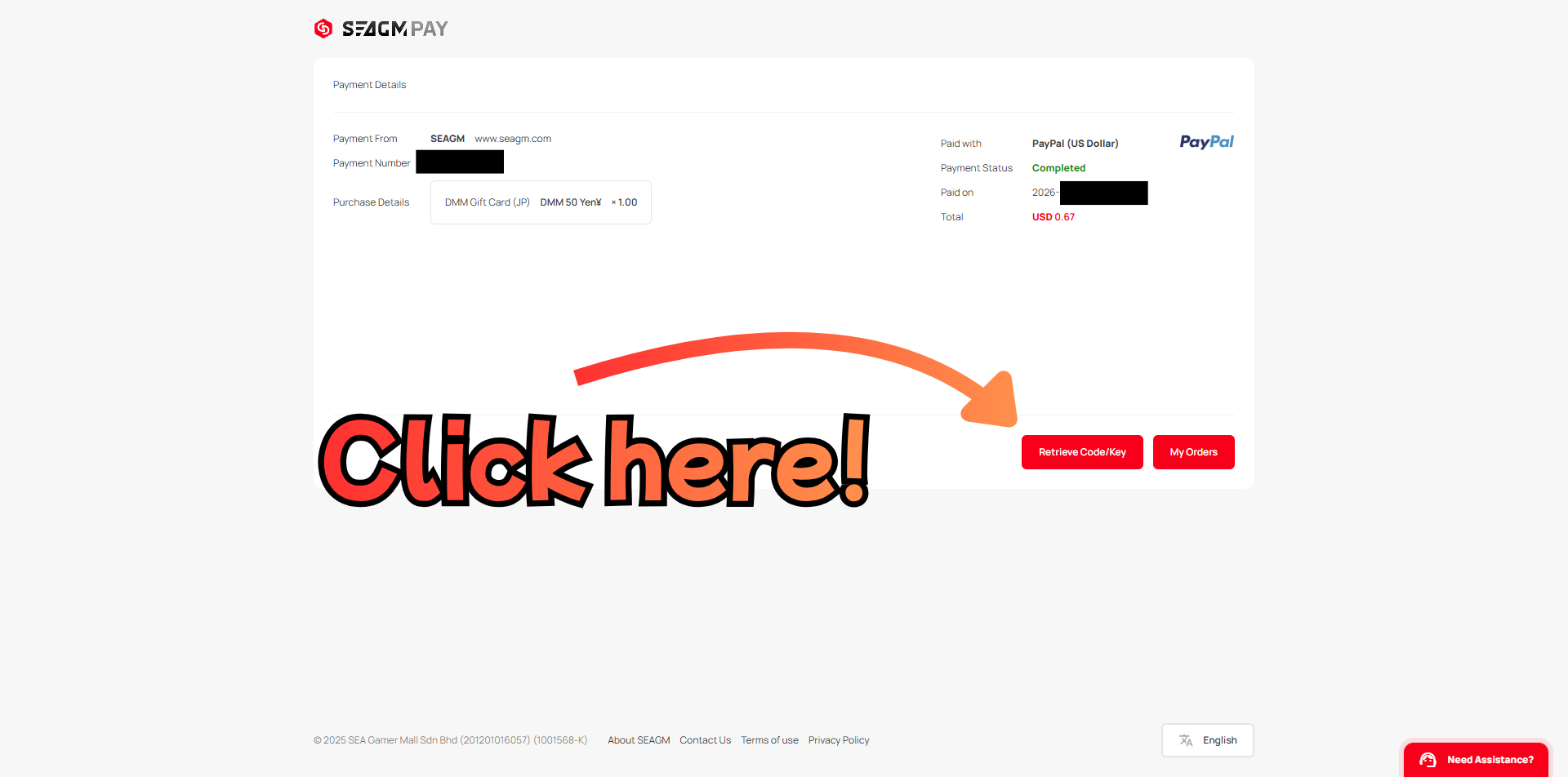
Step 8: Payment confirmed — click "Retrieve Code/Key"
After your payment is processed, you'll see a confirmation screen showing Payment Status: Completed.
Click the Retrieve Code/Key button to get your gift card PIN code.
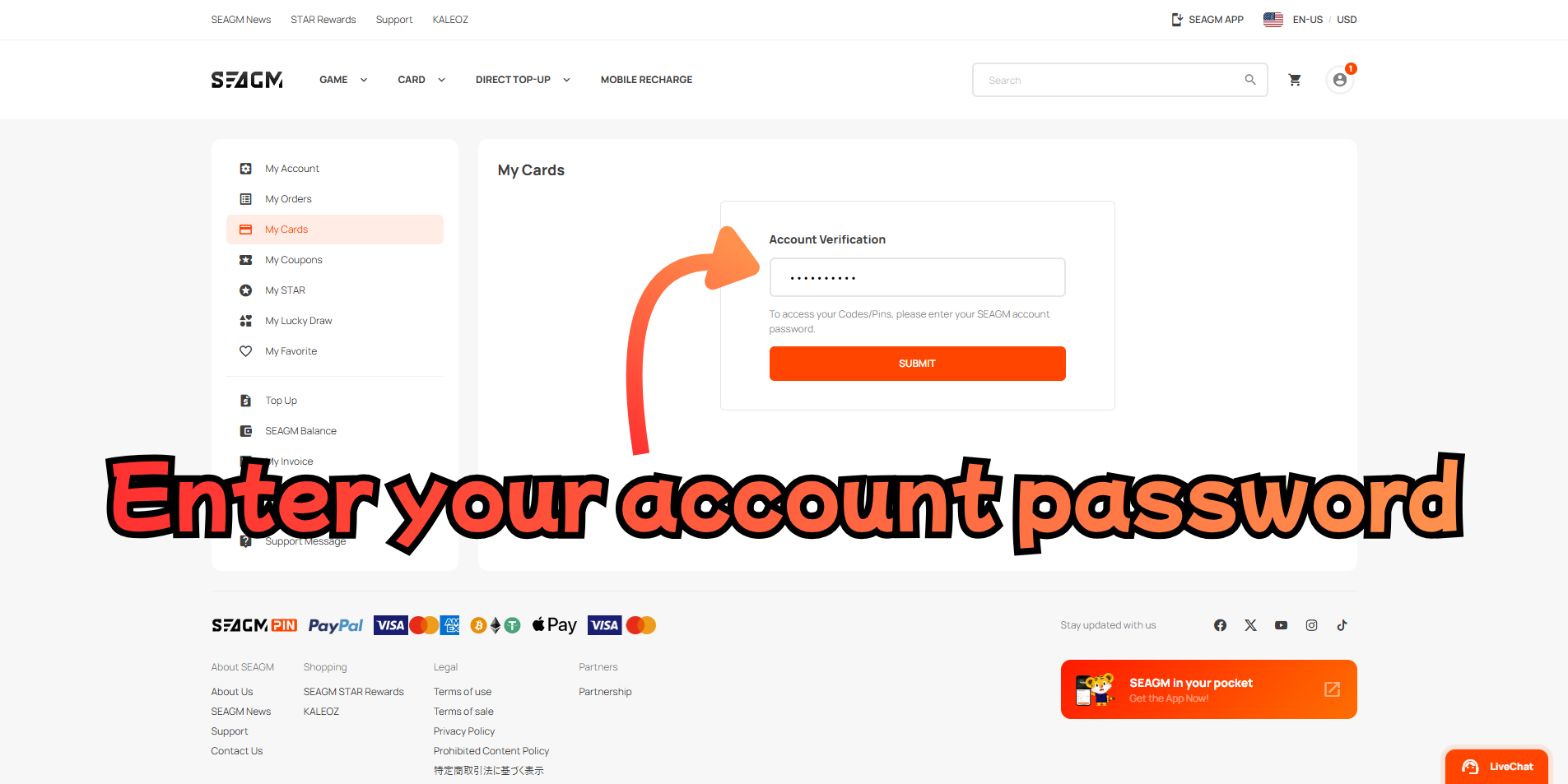
Step 9: Enter your account password
SEAGM will ask you to verify your identity before showing the PIN code. Enter your SEAGM account password and click Submit.
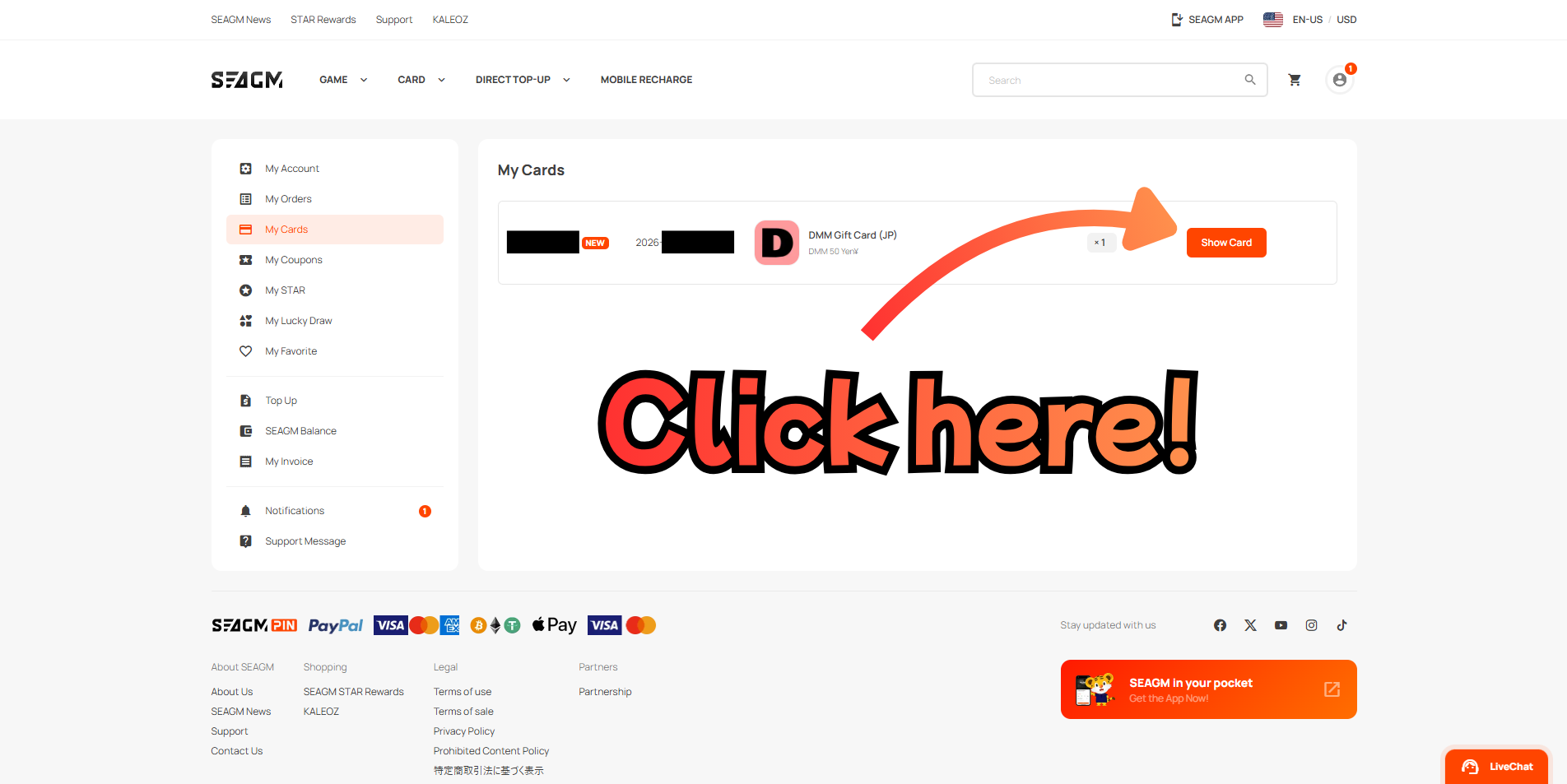
Step 10: Click "Show Card" in My Cards
You'll be taken to the My Cards page. Find your DMM Gift Card (JP) in the list and click the Show Card button.
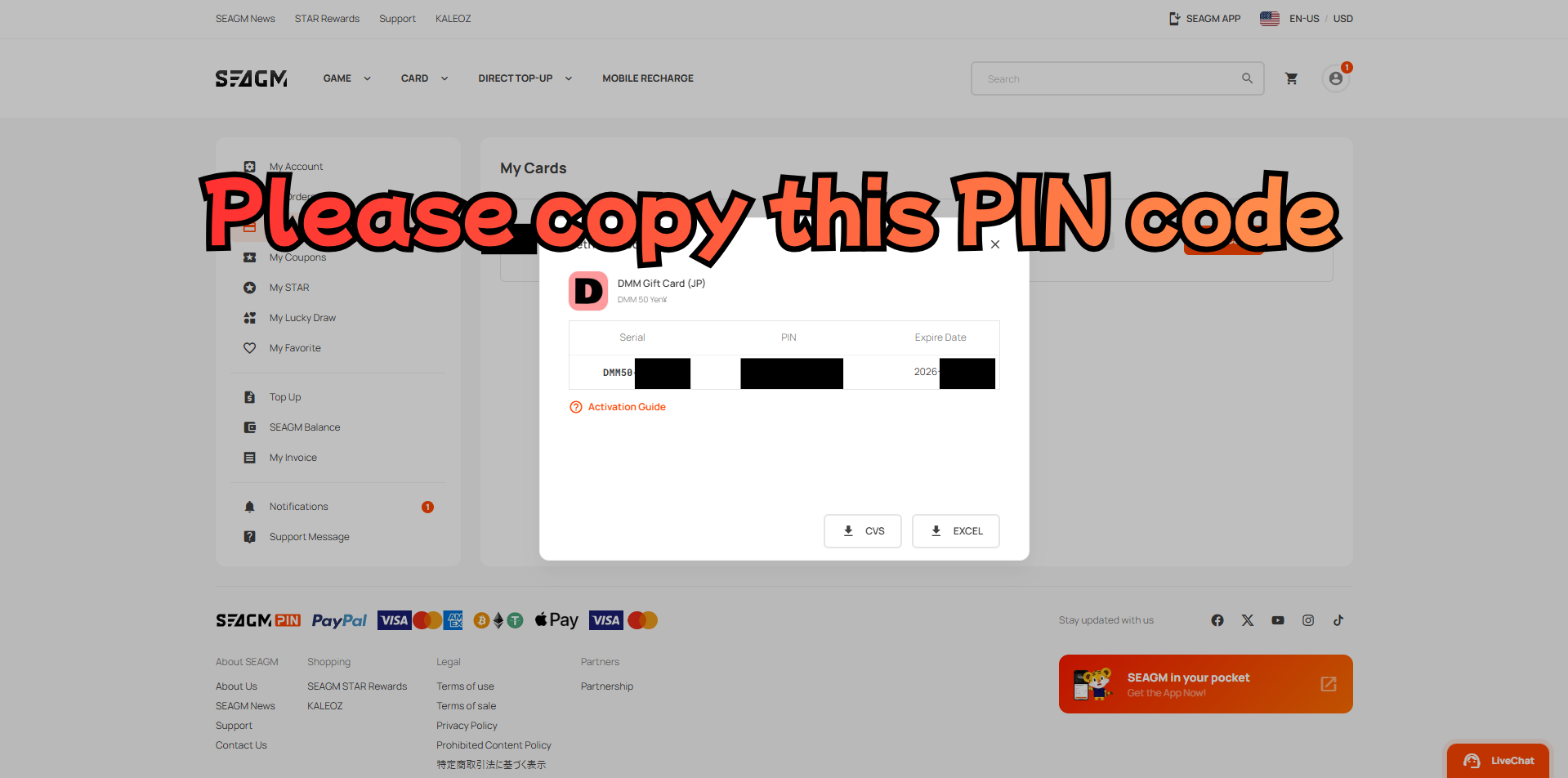
Step 11: Copy your PIN code
A popup will display your card details: Serial number, PIN code, and Expire Date.
Carefully copy the PIN code — you'll need it to charge your FANZA account in the next steps.
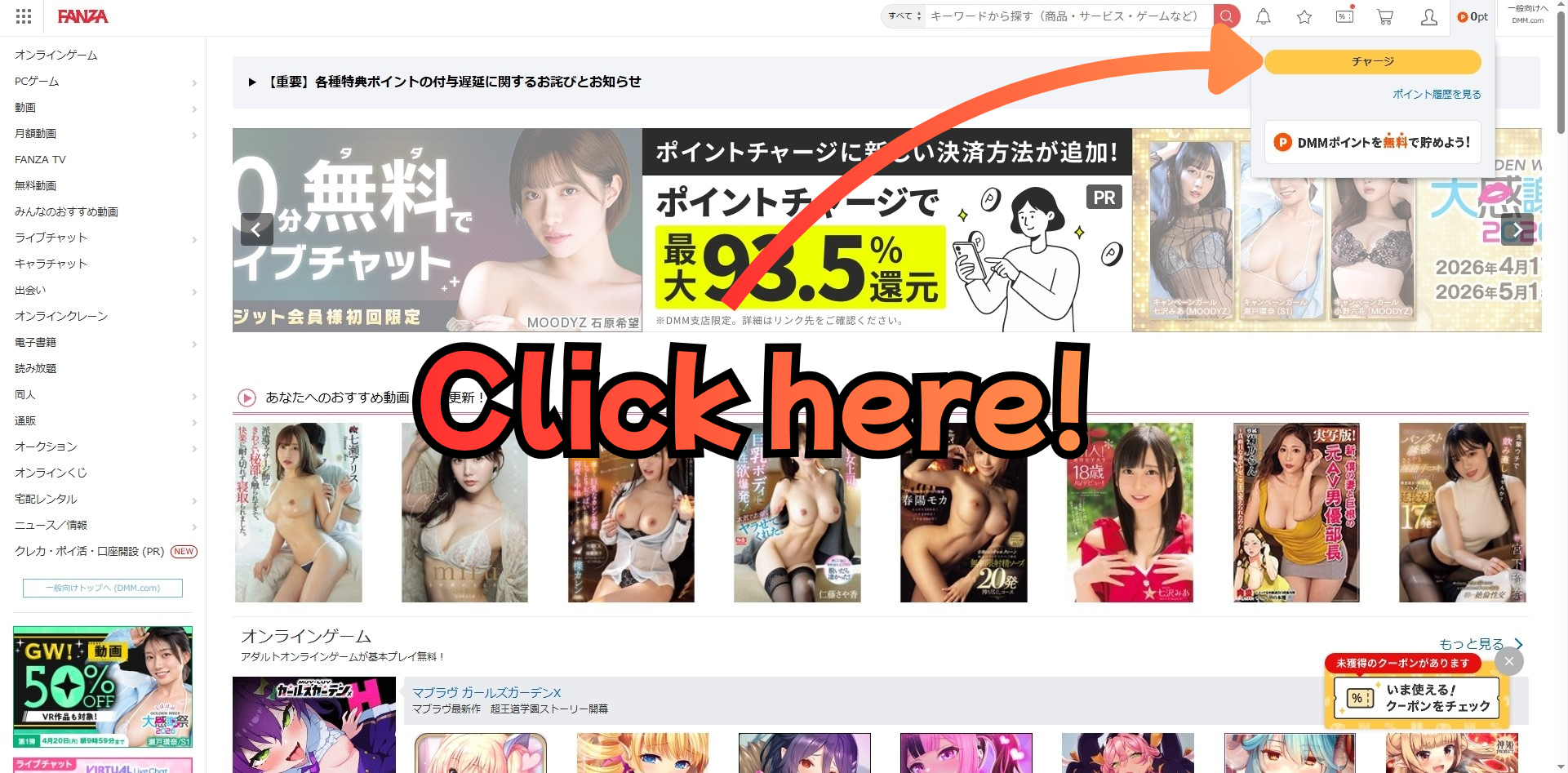
Step 12: Go to FANZA and click the charge button
Make sure your VPN is ON, then go to fanza.com. Log in to your account and click the チャージ (charge) button in the top right area of the page.
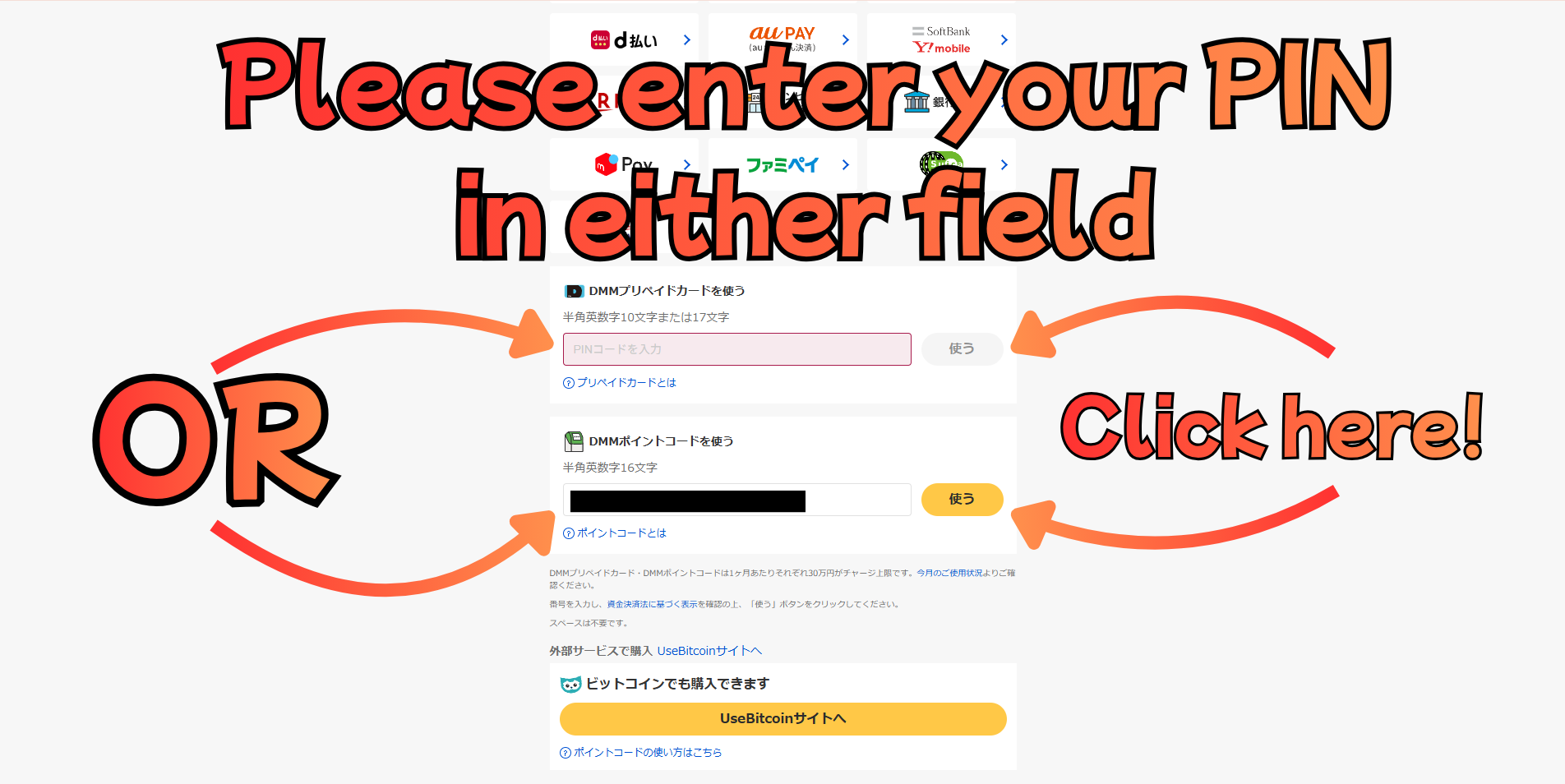
Step 13: Enter your PIN code and charge
On the charge page, find the DMM Gift Card section. Paste your PIN code into the input field and click 送る to apply it.
> 💡 Tip: If the page doesn't load properly after being redirected from FANZA to DMM, try refreshing the page once.
Step 14: Charge complete!
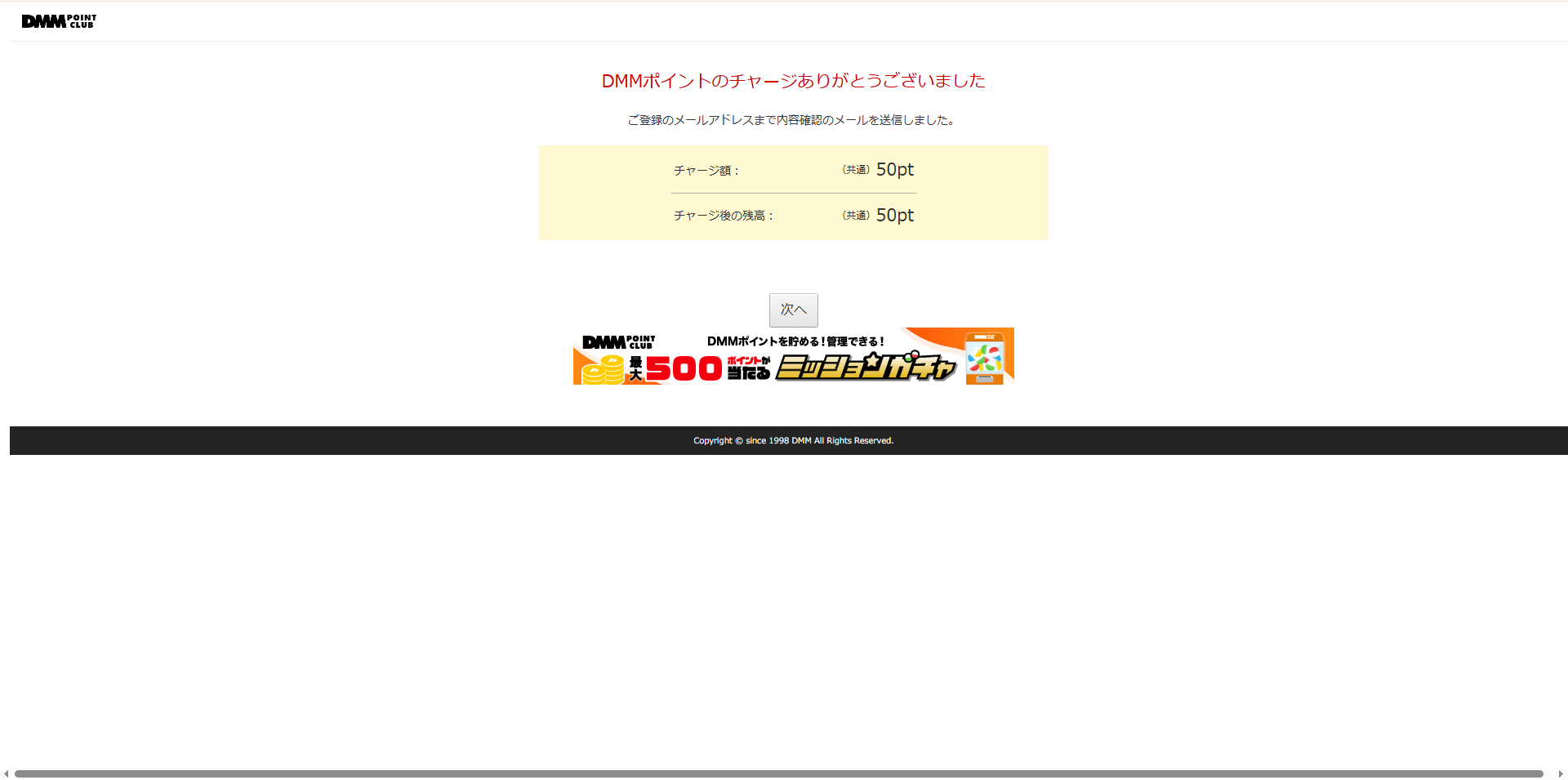
You'll see a confirmation screen: 「DMMポイントのチャージありがとうございました」 (Thank you for charging DMM Points).
Your DMM Points are now added to your account and ready to use on FANZA. Enjoy! 🎉
You're all set! With your DMM Points charged, you can now browse and purchase any content on FANZA.
Need help with the other steps?