How to Pay on FANZA with PayPal
A step-by-step guide on how to purchase FANZA content using PayPal as an international user. Includes tips for when PayPal is declined.
PayPal is the simplest way to pay on FANZA as an international user — no Japanese bank account or convenience store required. Simply link your existing credit card to PayPal and pay directly.
However, due to recent restrictions, overseas PayPal accounts are sometimes declined by FANZA. This guide will walk you through the steps, along with what to do if your payment doesn't go through.
> ⚠️ Note: Mastercard is very likely to be declined. We recommend using Visa or American Express if possible.
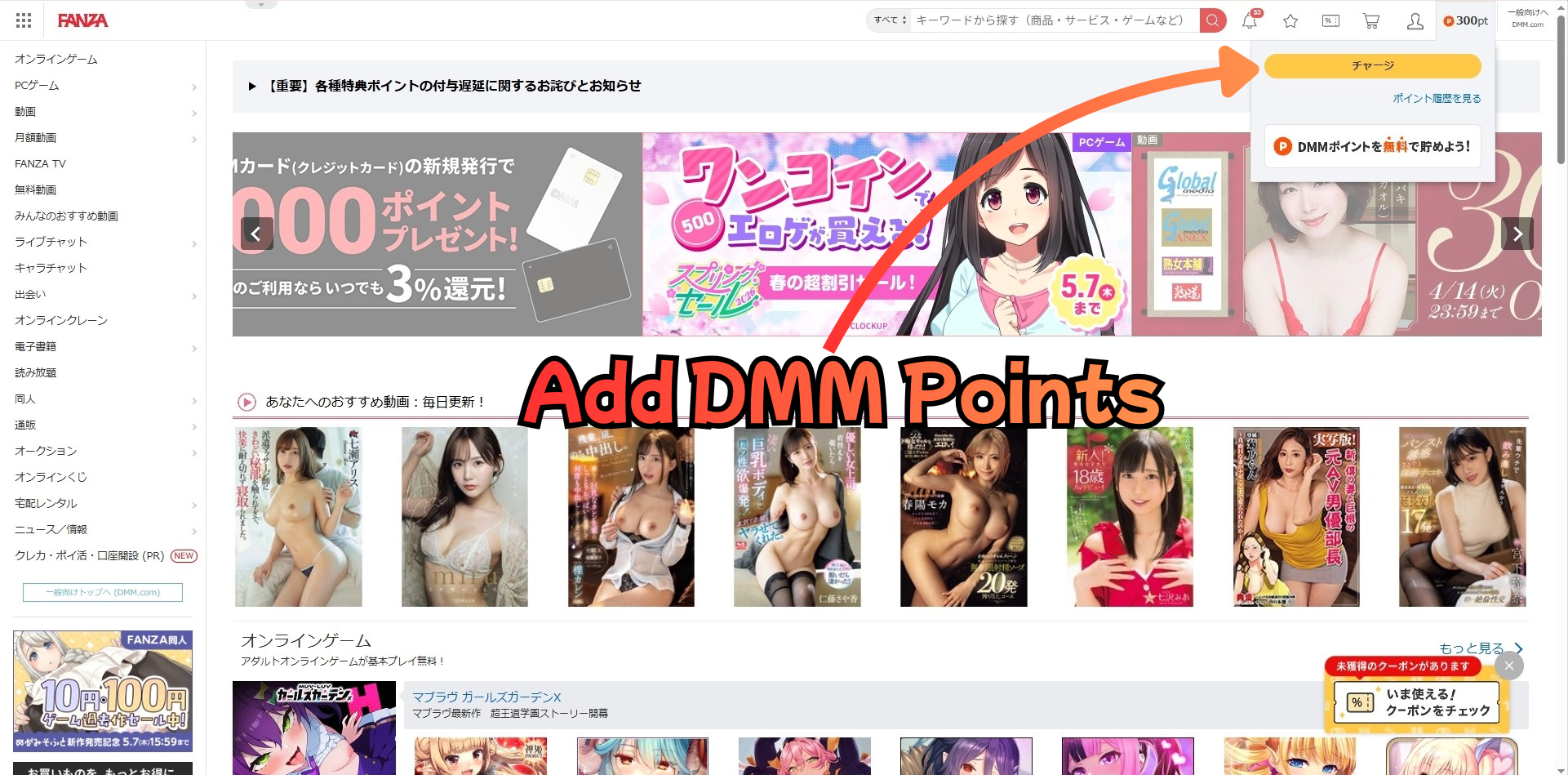
Step 1: Go to the DMM Points Charge Page
Log in to your FANZA account and click "チャージ" (Add Points) in the top right corner to go to the DMM Points charge page.
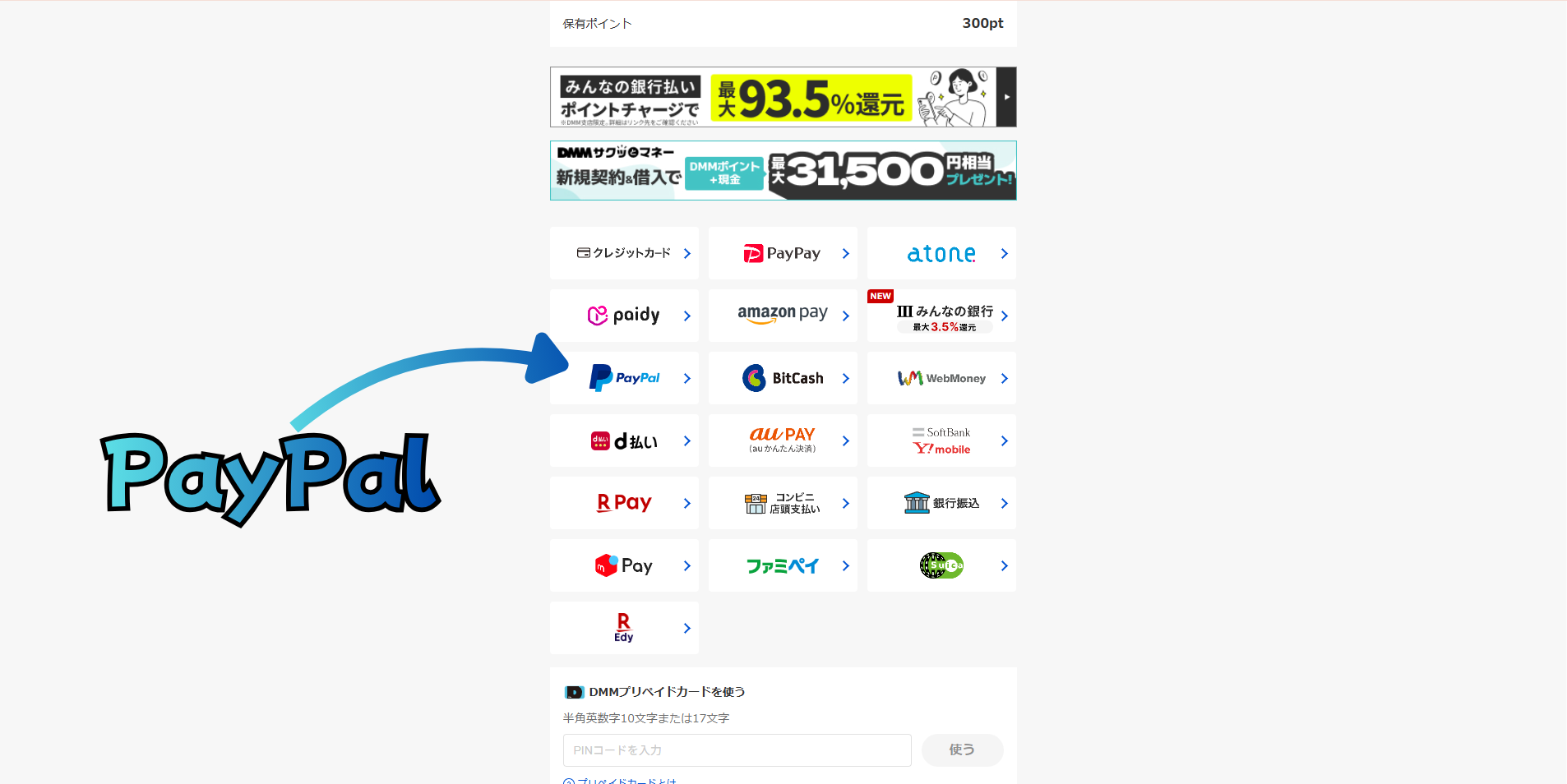
Step 2: Select PayPal
On the payment method selection page, select PayPal from the list of available options.
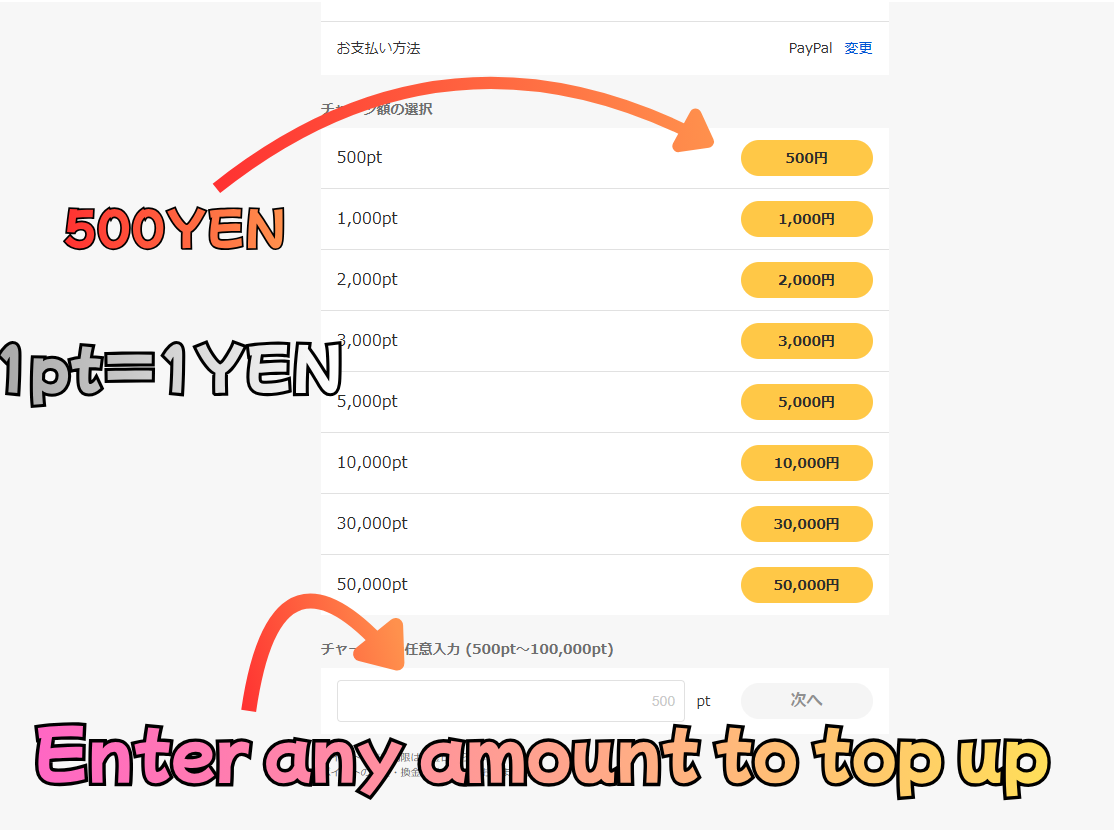
Step 3: Choose the Amount
Select how many points you want to charge. 1pt = 1 JPY (Japanese Yen).
You can choose a preset amount or enter a custom amount between 500pt and 100,000pt.
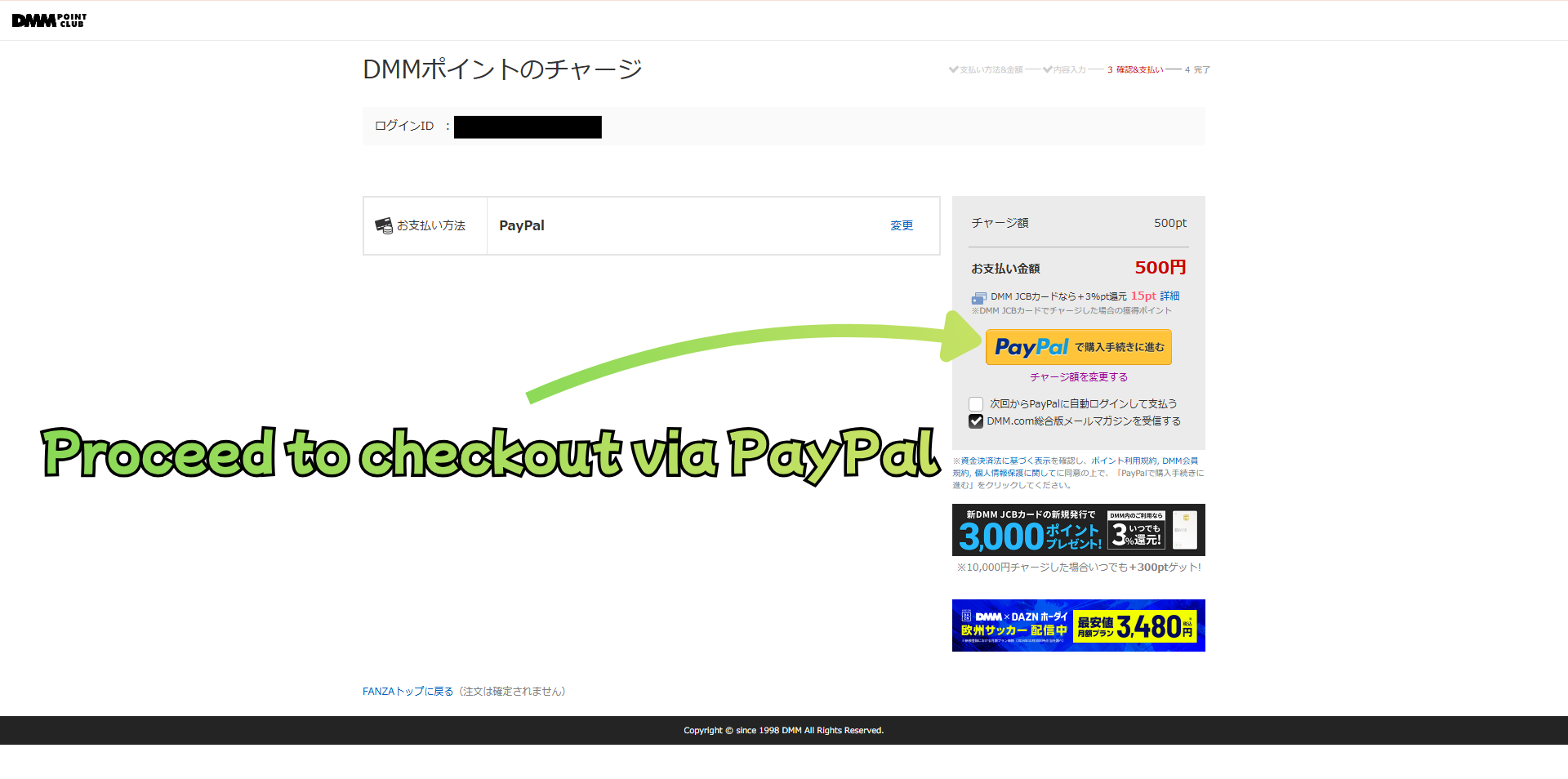
Step 4: Proceed to Checkout via PayPal
Confirm your payment details and click "PayPalで購入手続きに進む" to proceed.
You will be redirected to the PayPal login page — log in and complete the payment there.
> ⚠️ If your payment is declined, don't worry. Try one of the alternative methods below: