How to Create a Japanese Amazon Account
A step-by-step guide on how to create a Japanese Amazon account as an international user — the first step to using Amazon Pay on FANZA.
To use Amazon Pay on FANZA, you'll first need a Japanese Amazon account.
In this guide, we'll walk you through:
- Switching your Amazon region to Japan
- Creating your Japanese Amazon account
Let's get started!
Step 1: Go to Amazon.com and Click the Country Selector
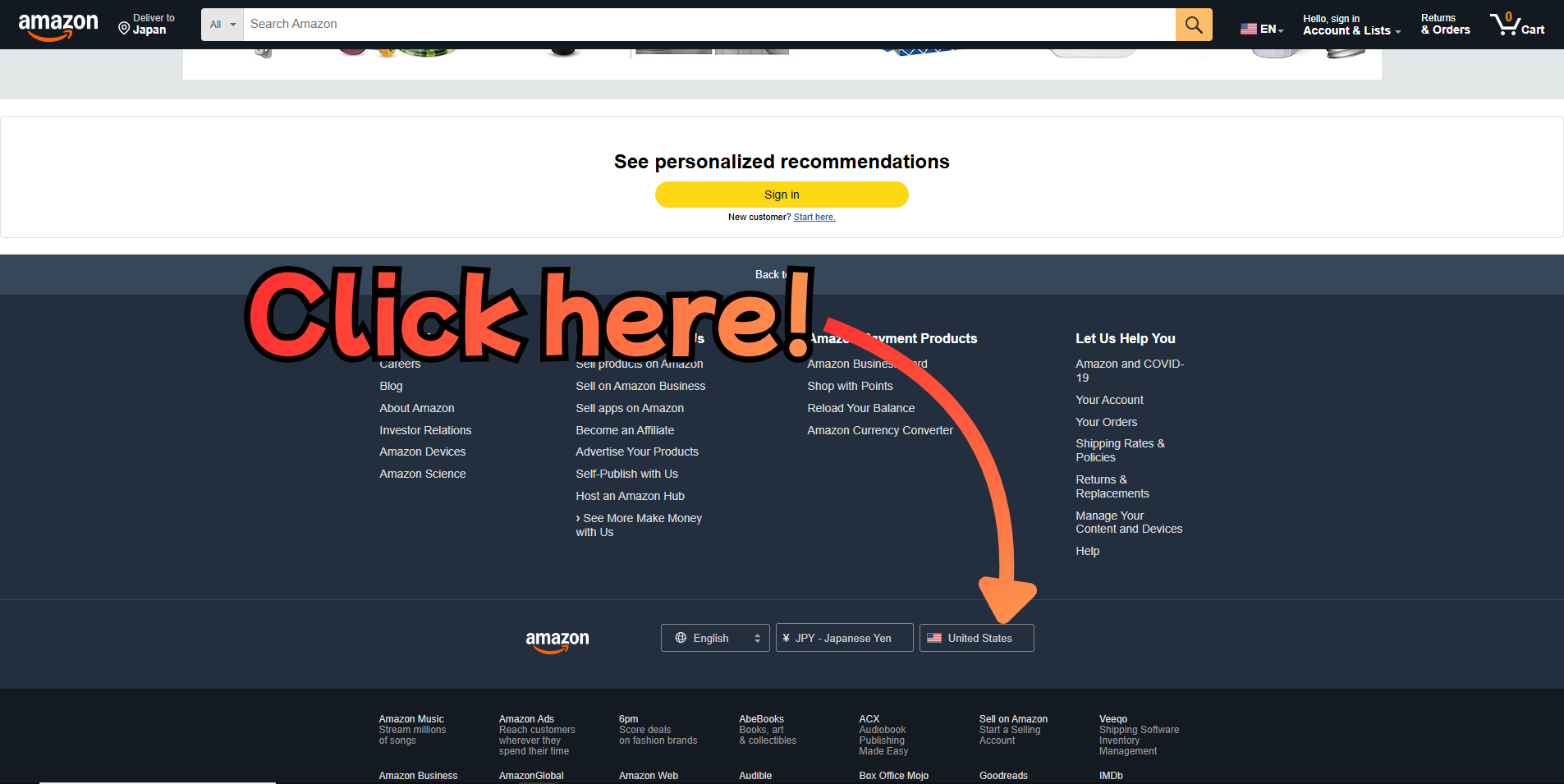
Go to amazon.com and scroll down to the bottom of the page. Click on the country/region button in the footer.
Step 2: Change the Country to Japan
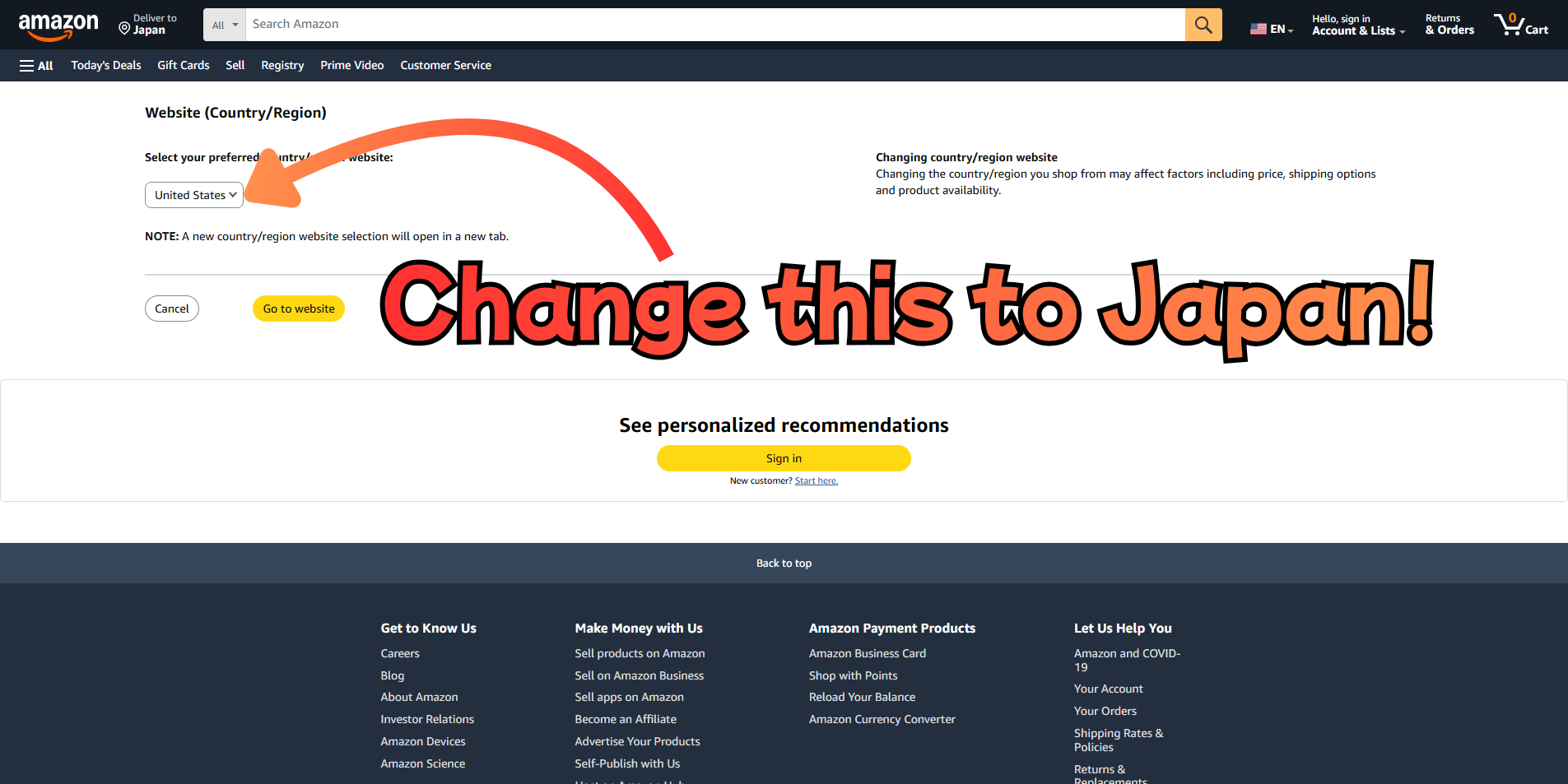
A pop-up will appear. Change the country to Japan from the dropdown menu.
Step 3: Go to the Amazon Japan Website
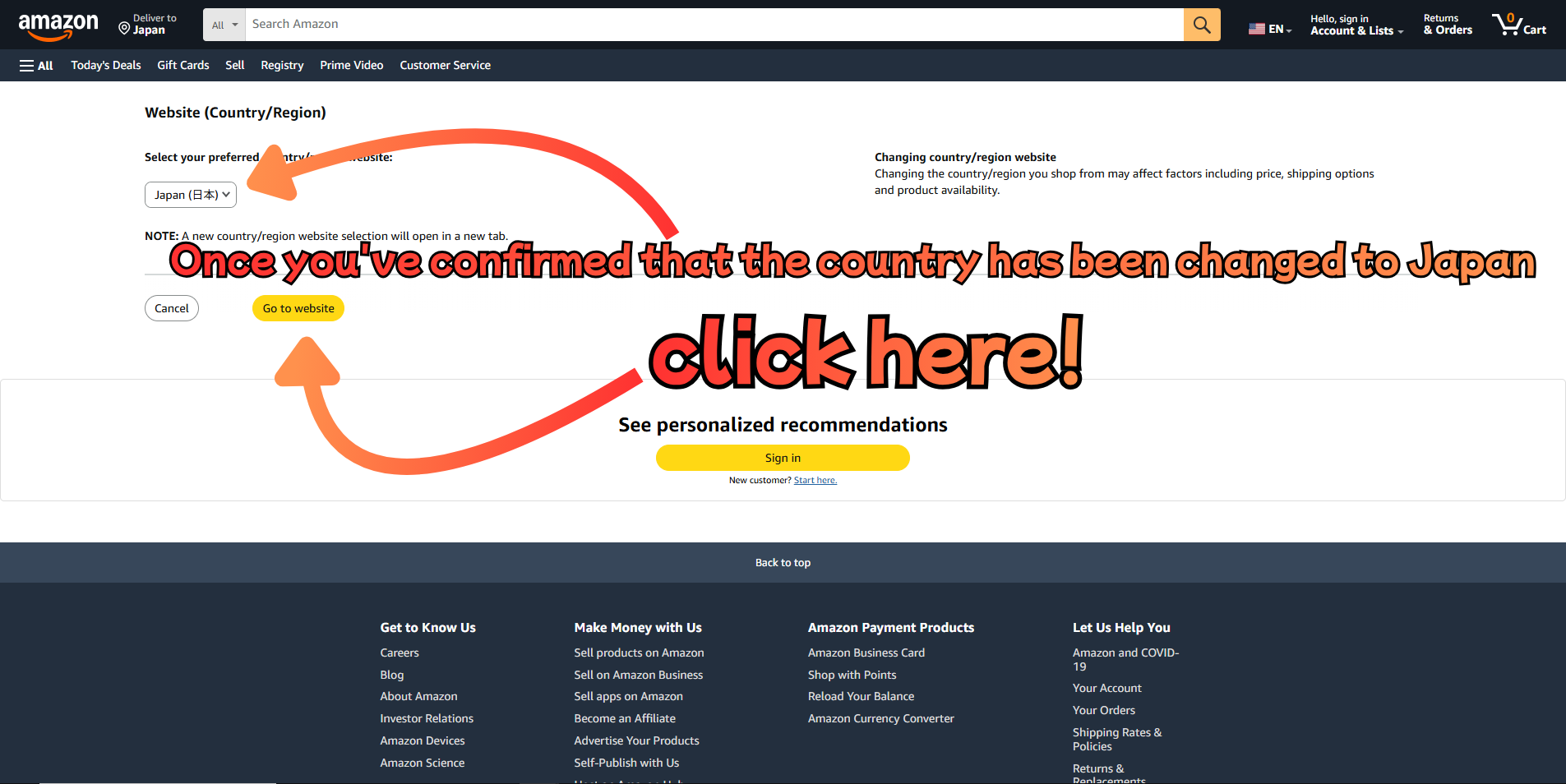
Once you've confirmed that the country has been changed to Japan, click "Go to website" to be redirected to Amazon Japan.
Step 4: Go to the Sign-In Page
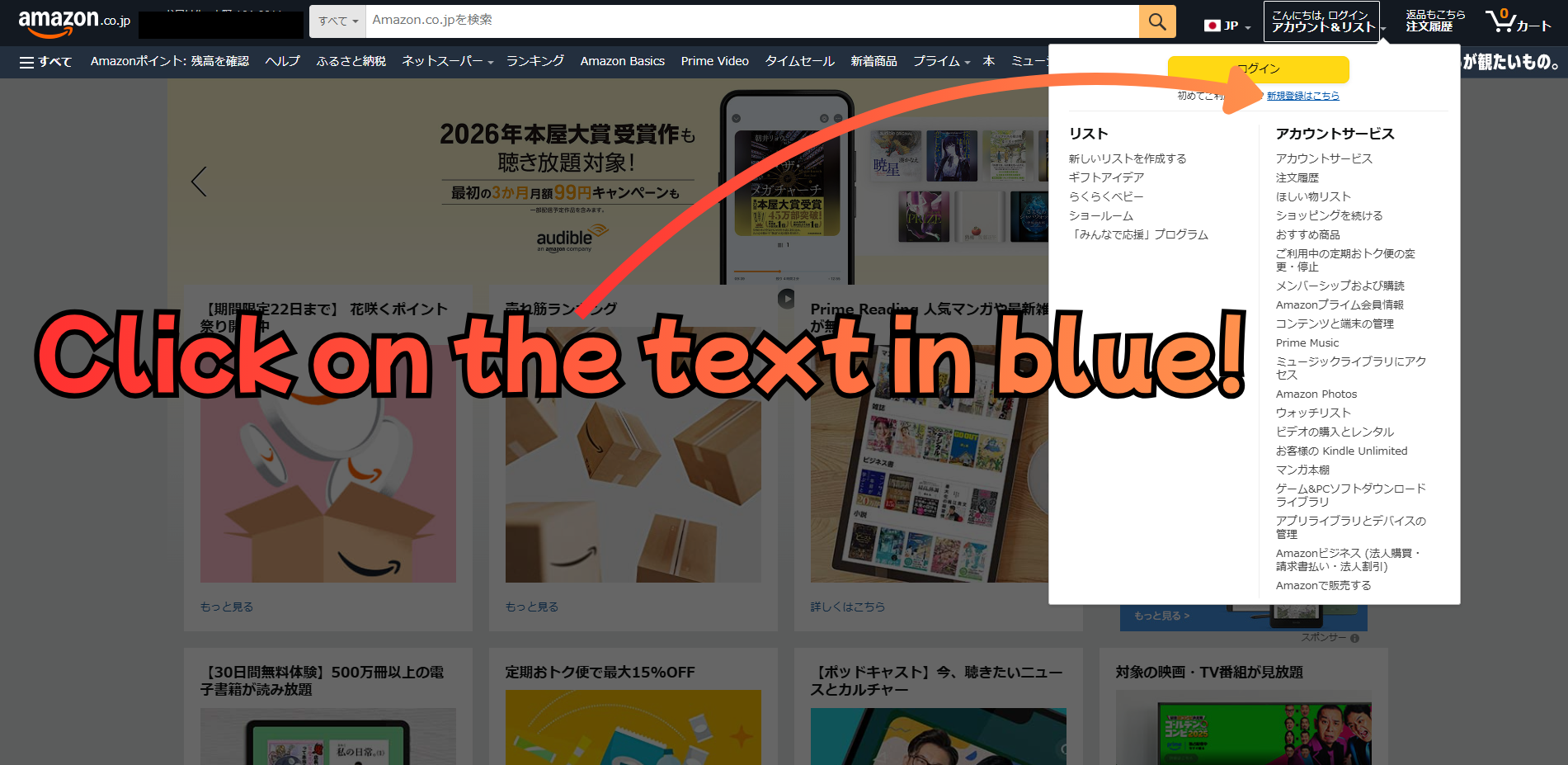
On Amazon Japan, hover over "アカウント&リスト" (Account & Lists) in the top right corner and click on the blue sign-in text.
Step 5: Enter Your Email Address
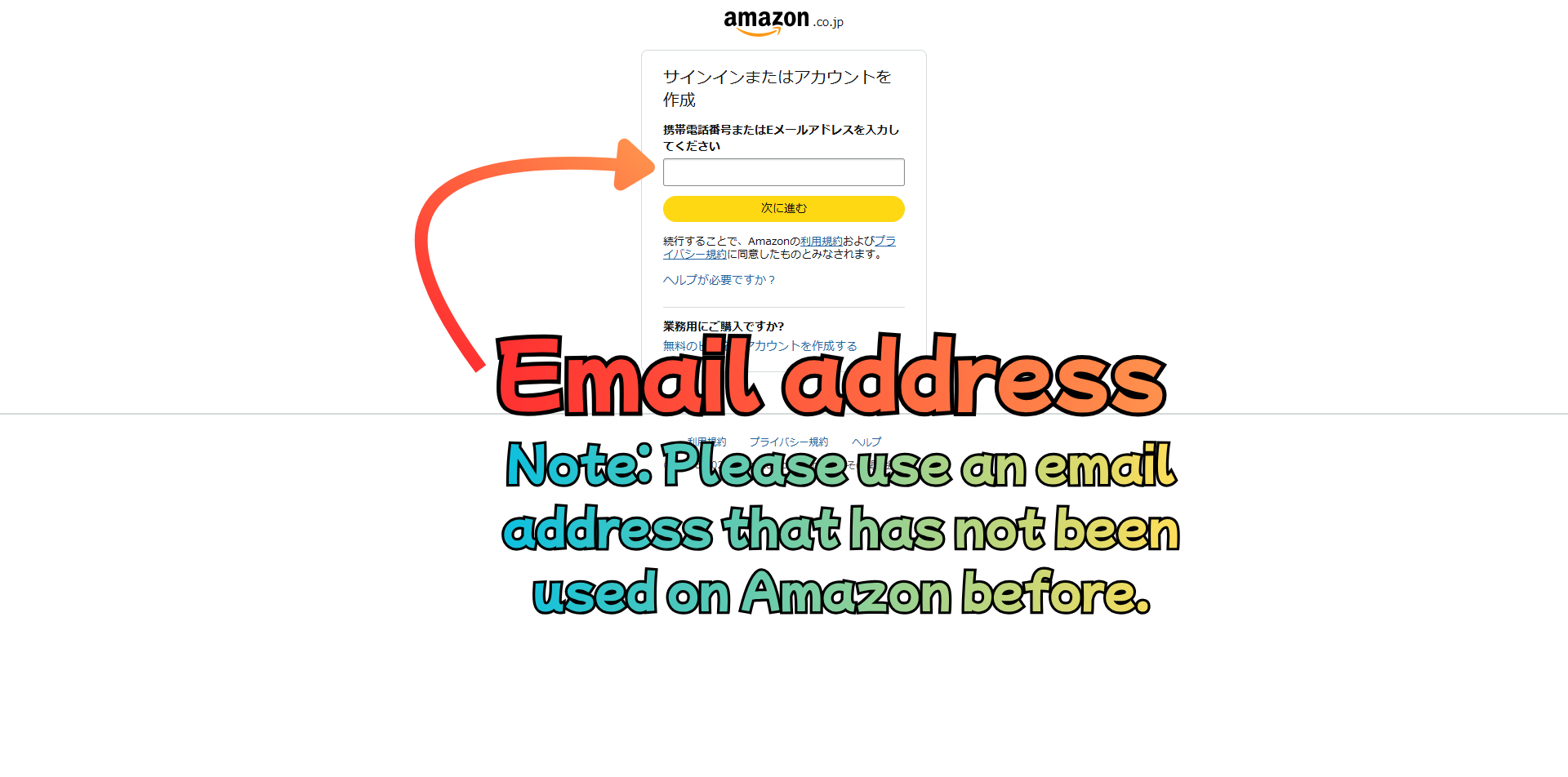
Enter your email address and click "次に進む" (Next).
> ⚠️ Please use an email address that has not been used on Amazon before.
Step 6: Enter Your Details
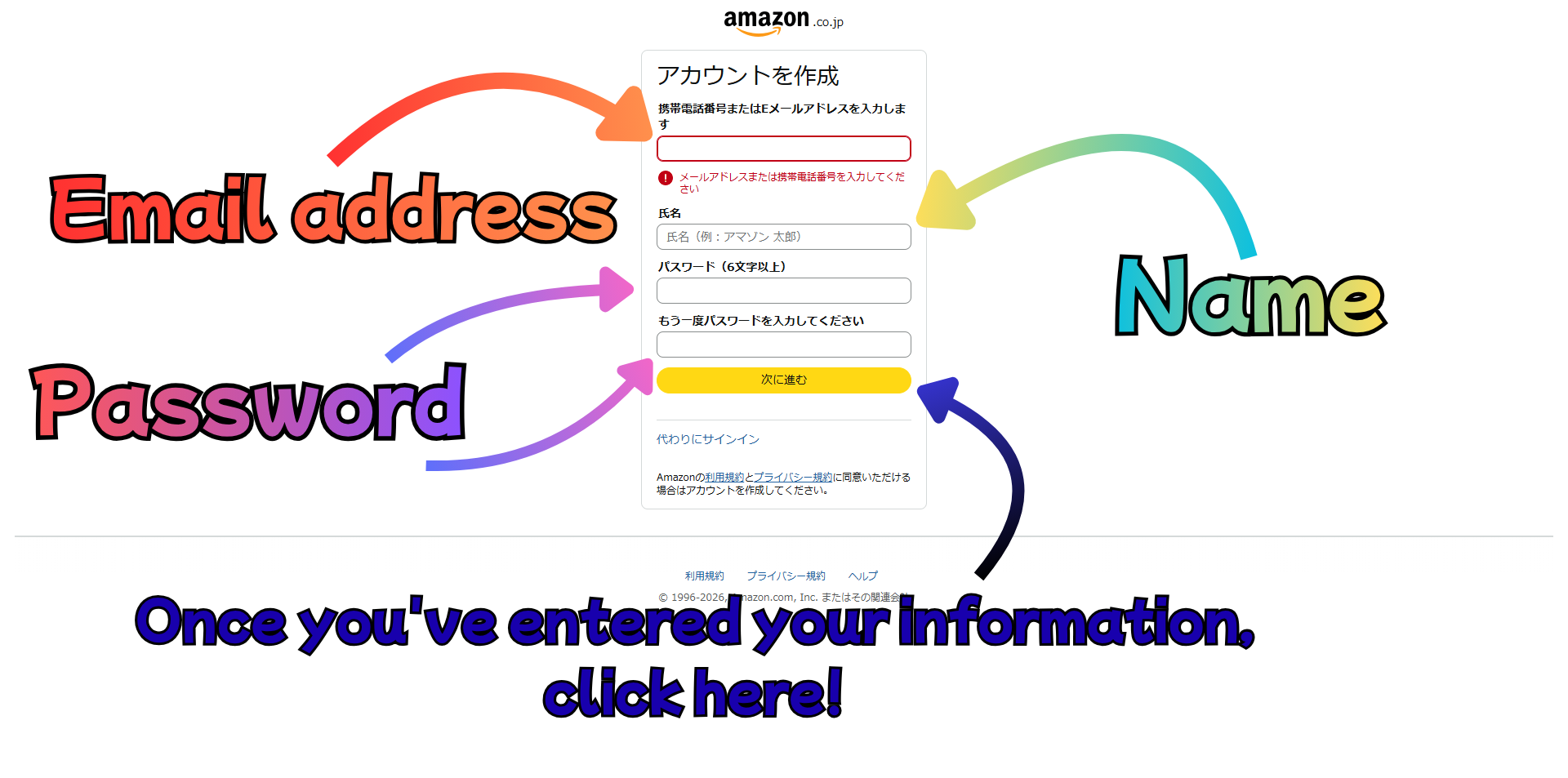
Fill in your name, email address, and password, then click the button to proceed.
In some cases, a 6-digit verification code will be sent to your email address. If prompted, check your inbox and enter the code to complete your registration.
> 💡 If the email doesn't arrive, check your spam folder.
Your account is now created!
Your Japanese Amazon account is ready!
Next step: You will need a Japanese address to register on Amazon Japan. Follow our guide to get one instantly for free.